How To Uninstall Avast Antivirus
How to uninstall Avast
One issue with all antivirus vendors is leftover files from previous versions. To rule out this as the point of failure, I recommend a clean installation. This is a requirement when migrating from Avast! consumer versions (Pro, I.S., Premium, free) or legacy Endpoint Protection to the cloud version.
There are several ways to accomplish this task: DOMAIN – If you have a Domain and are currently using legacy avast! Endpoint Protection Suite / Plus, then you can use group policy to deploy AVASTCLEAR.MSI – https://www.dropbox.com/s/5rpu32cnkc5fy54/avastclear.mis?dl=0 UNINSTALL – Uninstall the existing avast!, reboot, and delete the “AVAST Software” folders under “C: Program Files” and “C: ProgramData” Microsoft uninstaller always leaves the old directories for the purpose of System Restore.
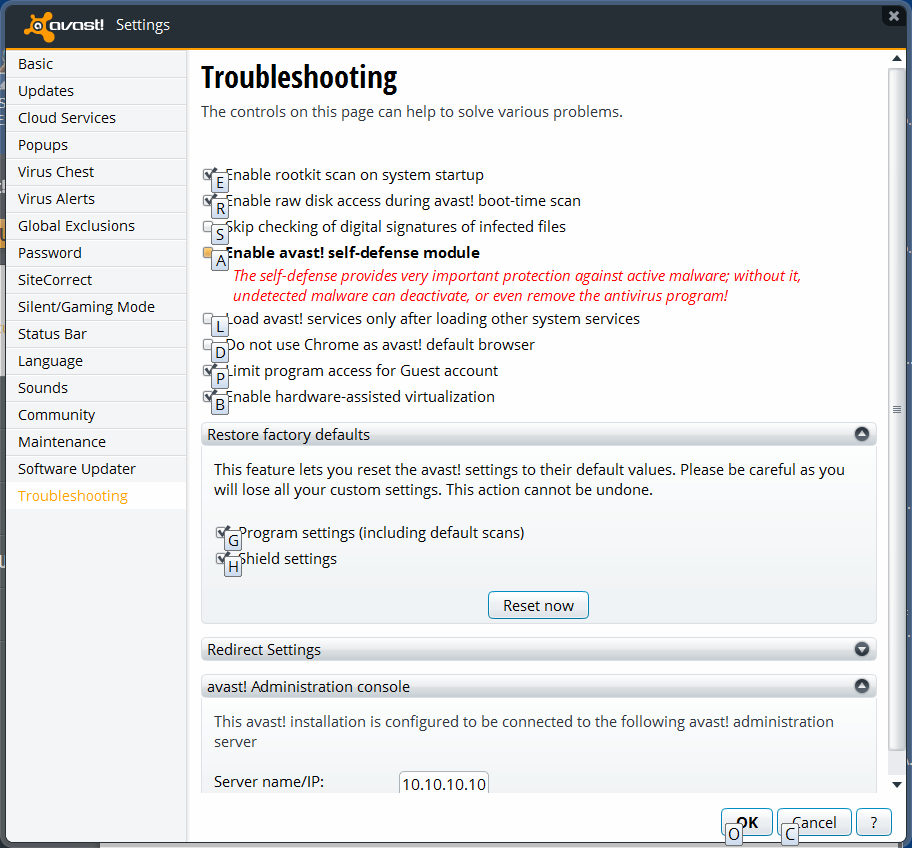
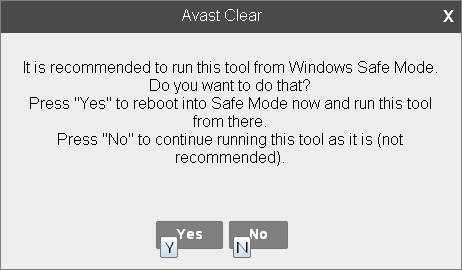
Go look, every program you have ever uninstalled is still there! REMOVAL TOOL – The last option is to use ASWCLEAR.EXE process described below. NOTE: ASWCLEAR.EXE supports all Avast! versions, including consumer (Free, Pro, Internet Security, Premier) where AVASTCLEAR.MSI is for Endpoint Protection ONLY! Download the Avast! removal tool: http://www.avast.com/en-us/uninstall-utility “ASWCLEAR.EXE” Next step is to clear the checkbox “Enable Avast! Self-Defense Module”. This prevents one from having to run the Avast! removal tool in safe mode! Disable Self Defense Module NOTE: When the Self Defense Module is disabled, then you DO NOT RUN “ASWCLEAR.EXE” IN SAFE MODE image001 You must acknowledge “Yes” to fully disable the Avast self-defence module:
uninstall Avast anti-virus by running “ASWCLEAR.EXE”